ReeveHQ

Modules

Devices, labelling & regulatory

What you make, how it was designed, what goes on the label, and the files a regulator asks for.

Every screen below is the shipped interface, shown with sample data - and every record on them is something Ask Reeve can answer from.

  1. Devices

    The device register with classification, markets and the regulatory facts each market asks for.
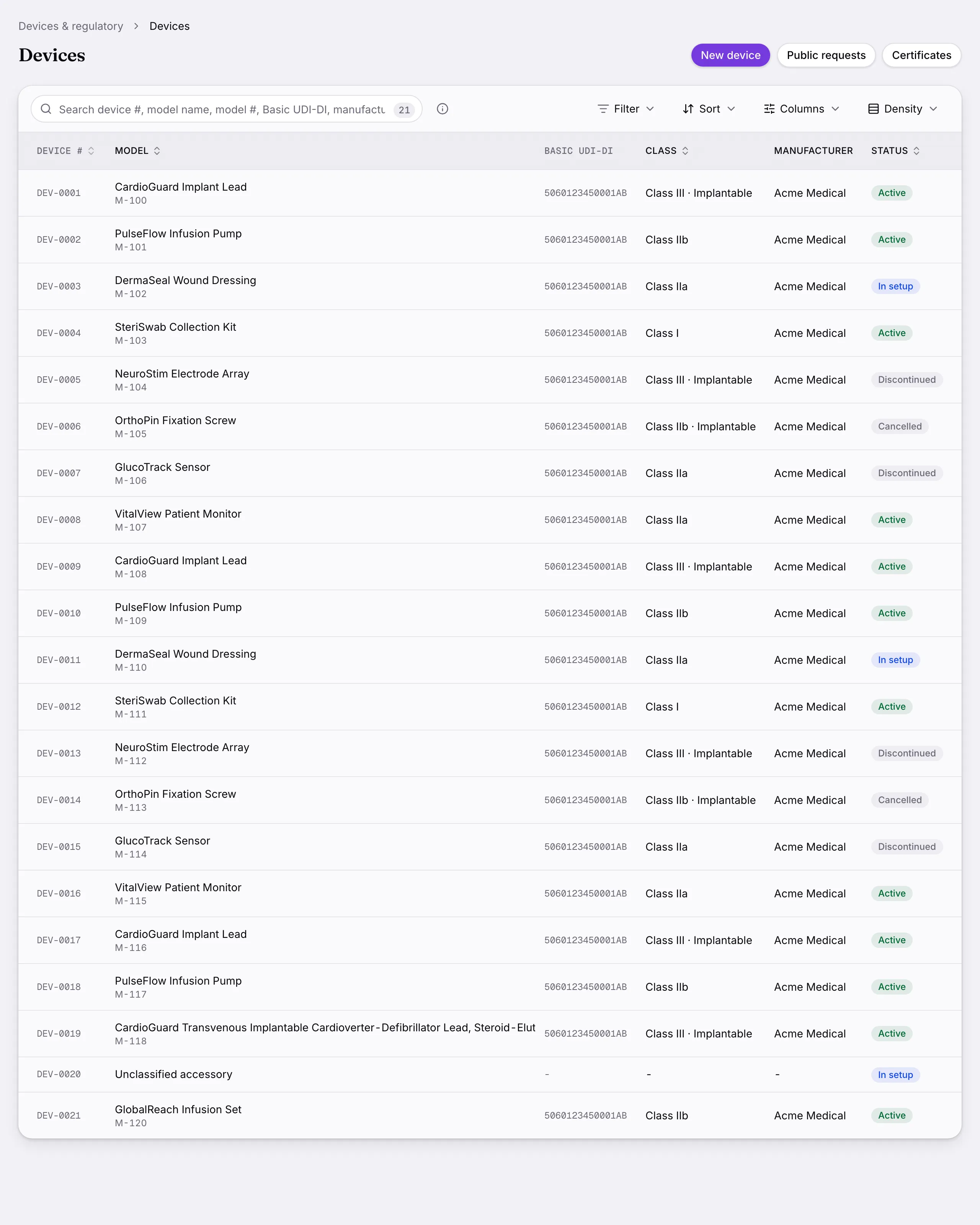
    Devices: The device register with classification, markets and the regulatory facts each market asks for.
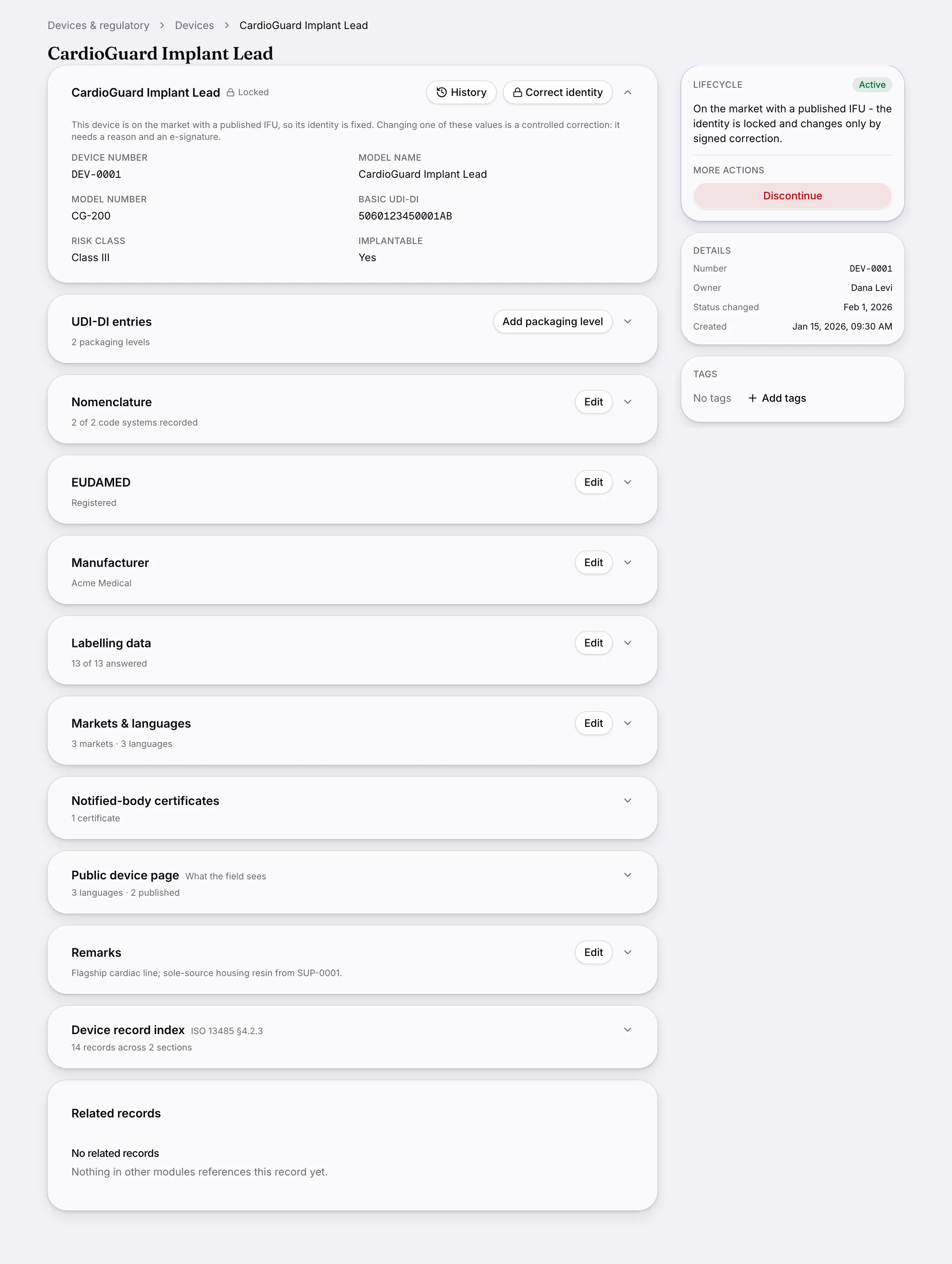
    Another screen from Devices.
    Another screen from Devices.
  2. Design & development

    Design files with their phases, design reviews with recorded outcomes, and verification and validation tied to the requirements they answer.
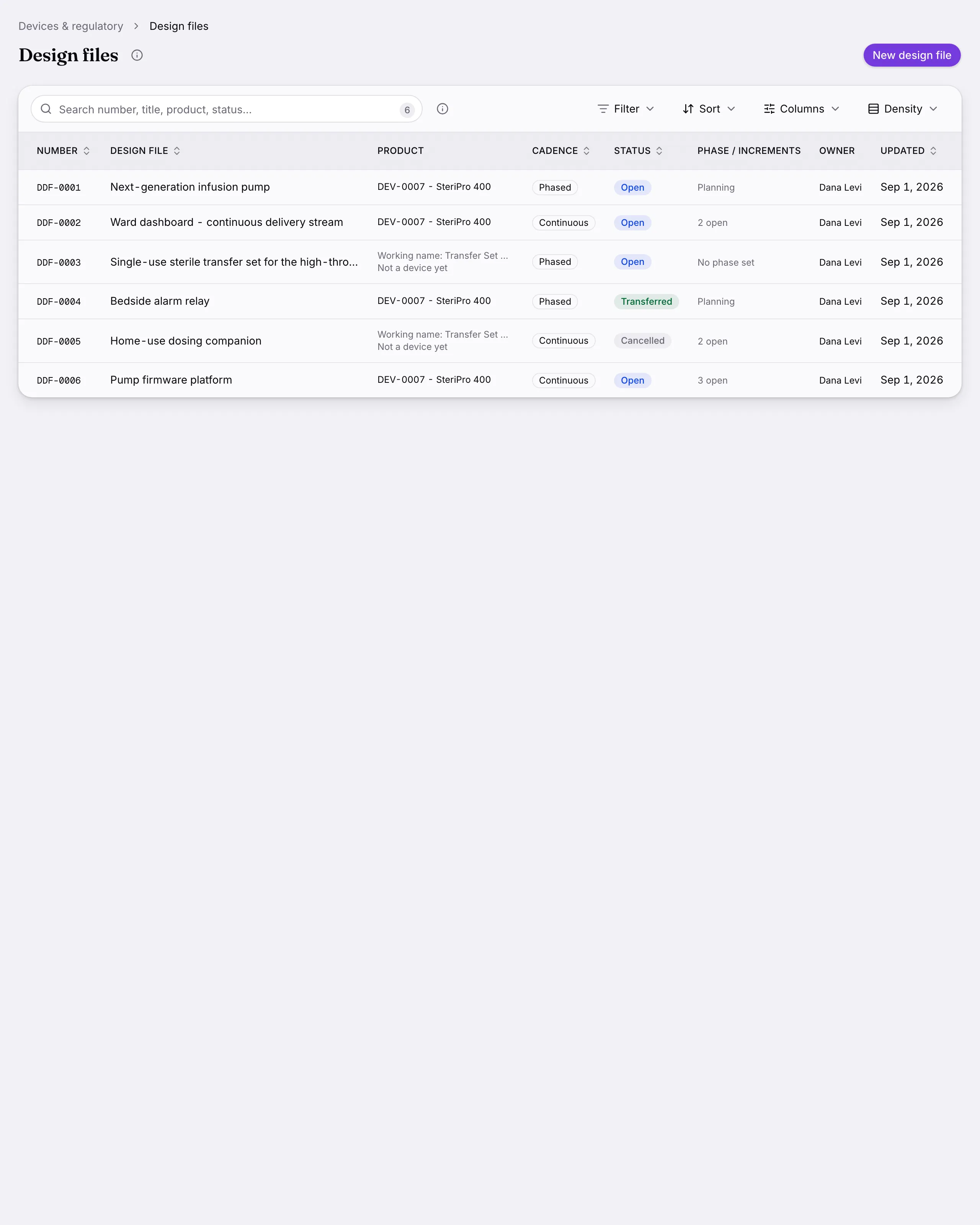
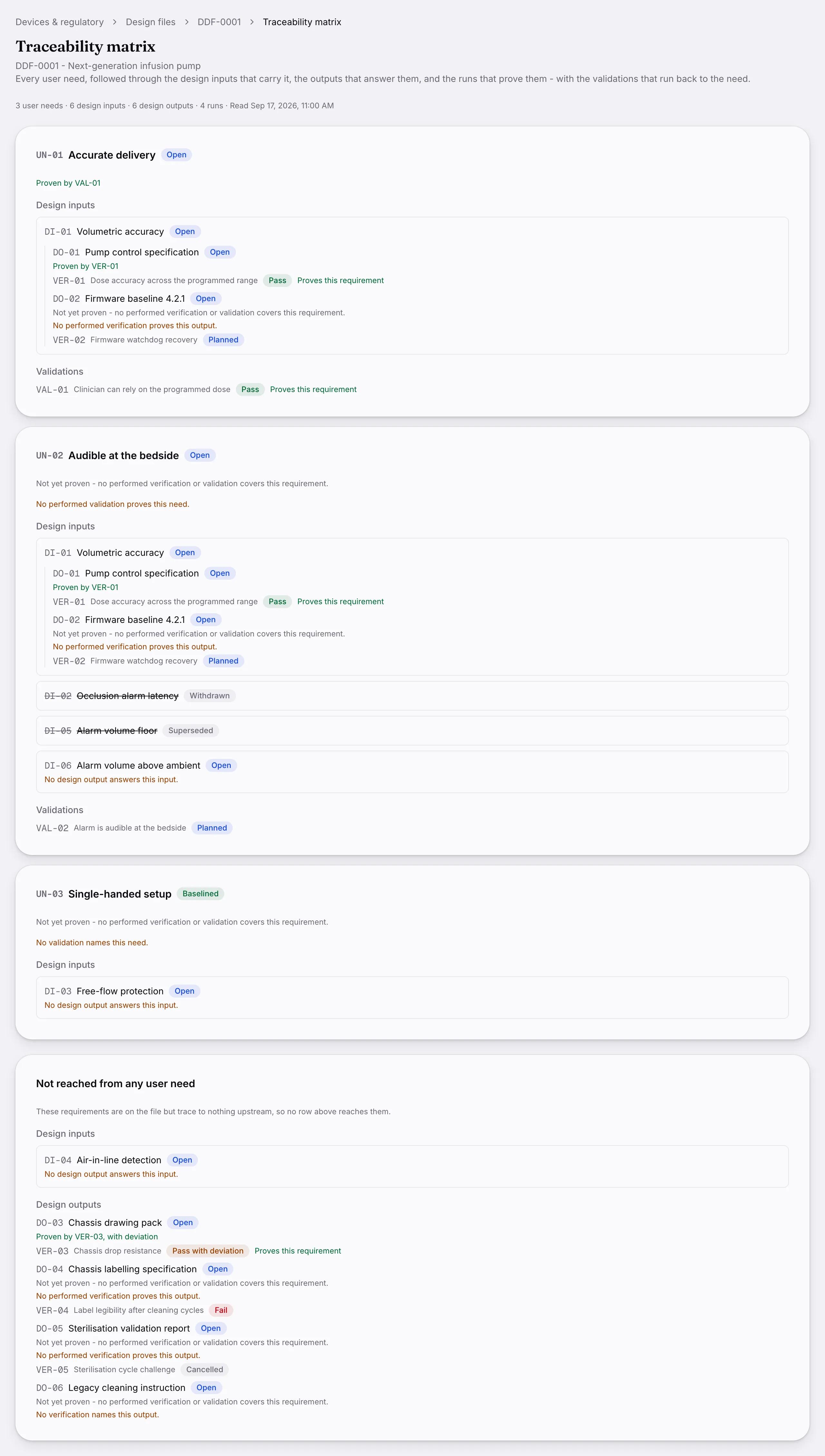
    Design & development: Design files with their phases, design reviews with recorded outcomes, and verification and validation tied to the requirements they answer.
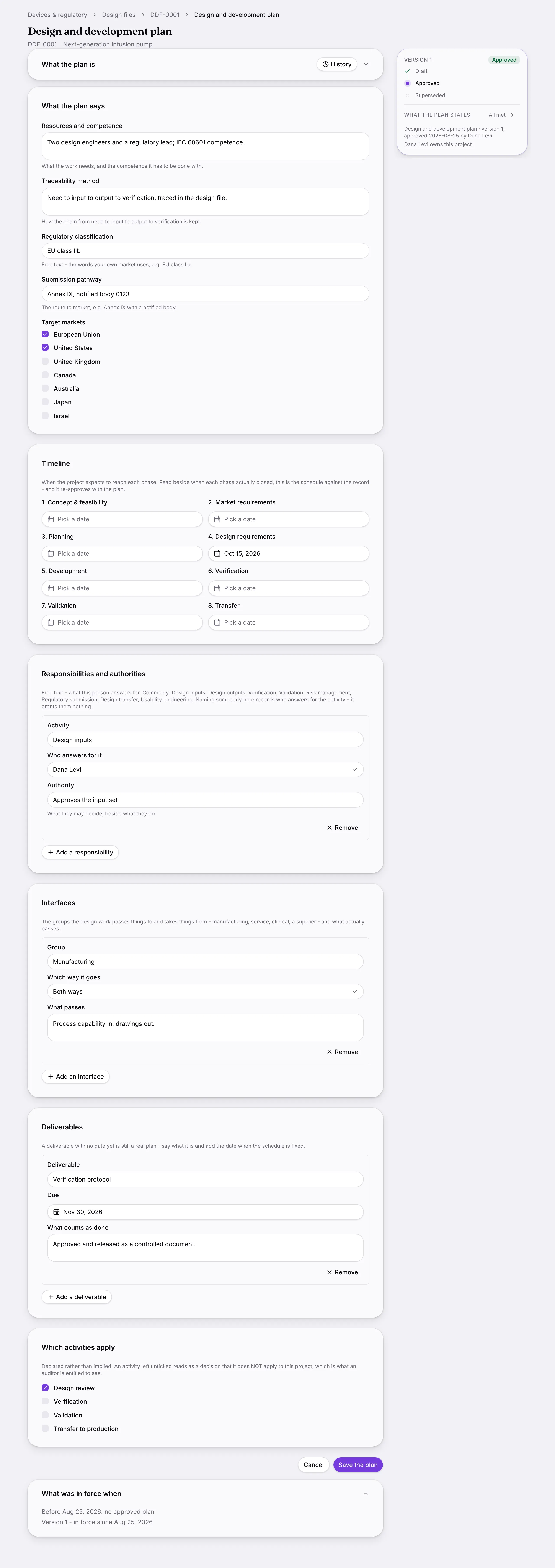
    Another screen from Design & development.
    Another screen from Design & development.
  3. Risk management

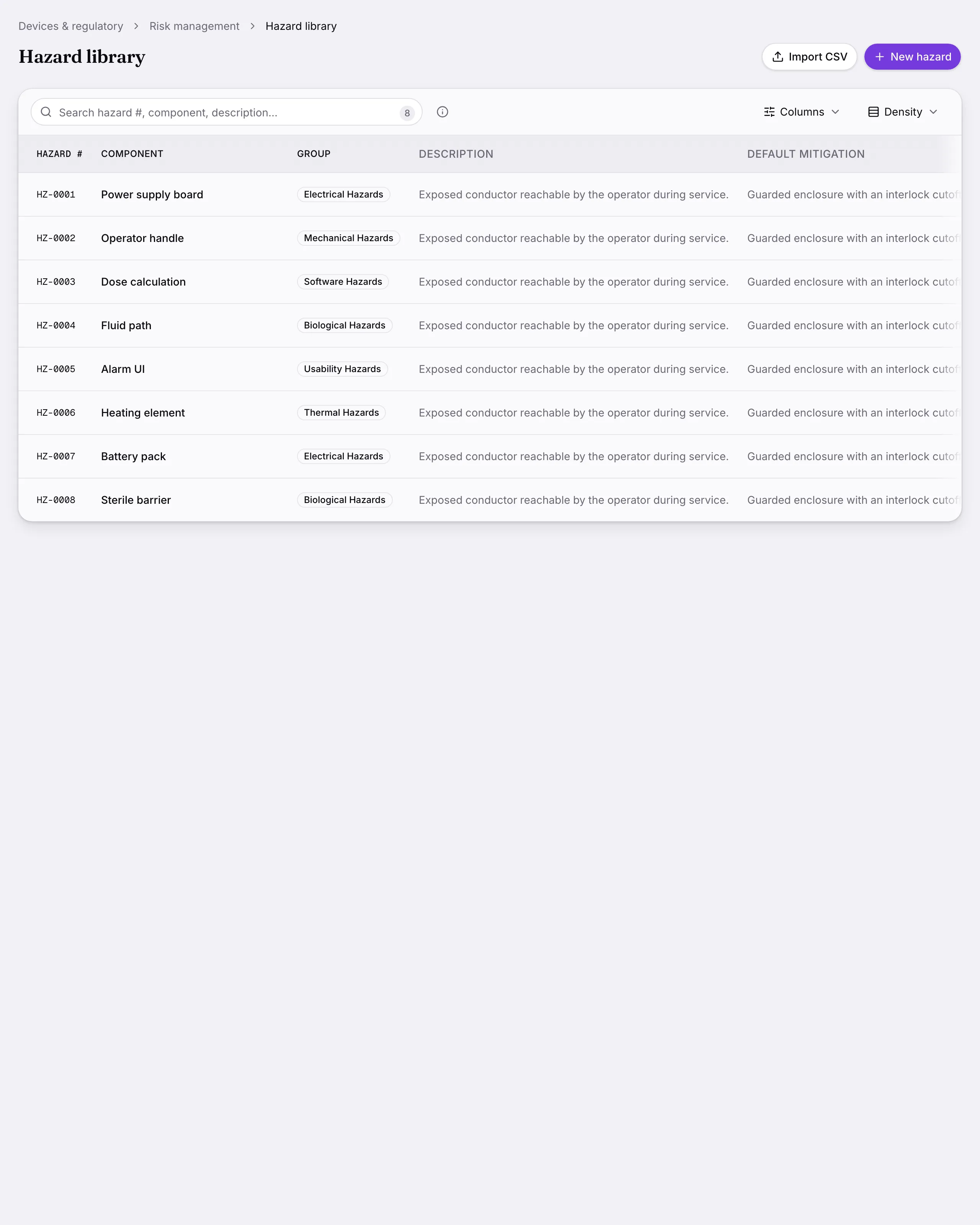
    ISO 14971 risk files with a hazard library and an e-signed release of each revision.
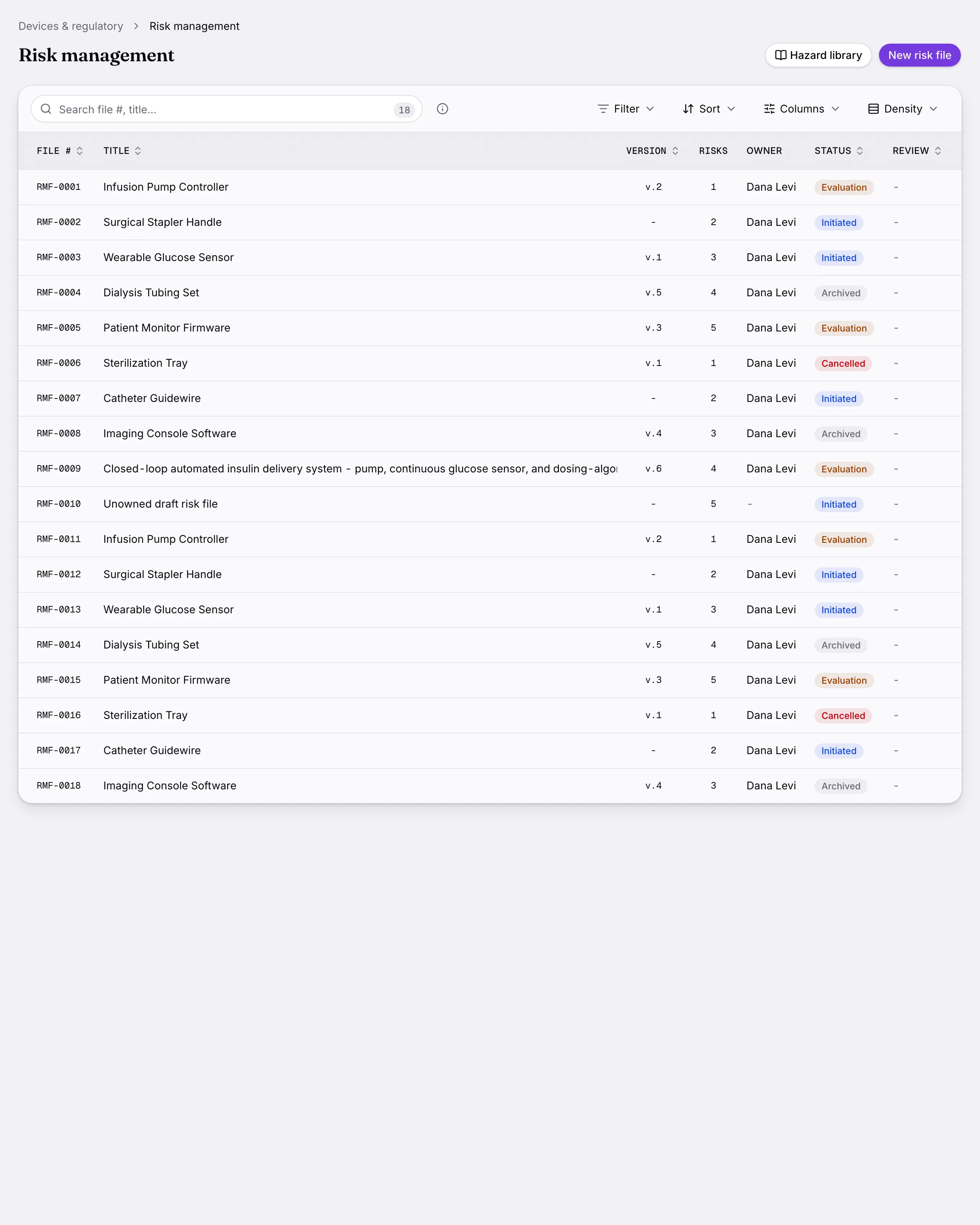
    Risk management: ISO 14971 risk files with a hazard library and an e-signed release of each revision.
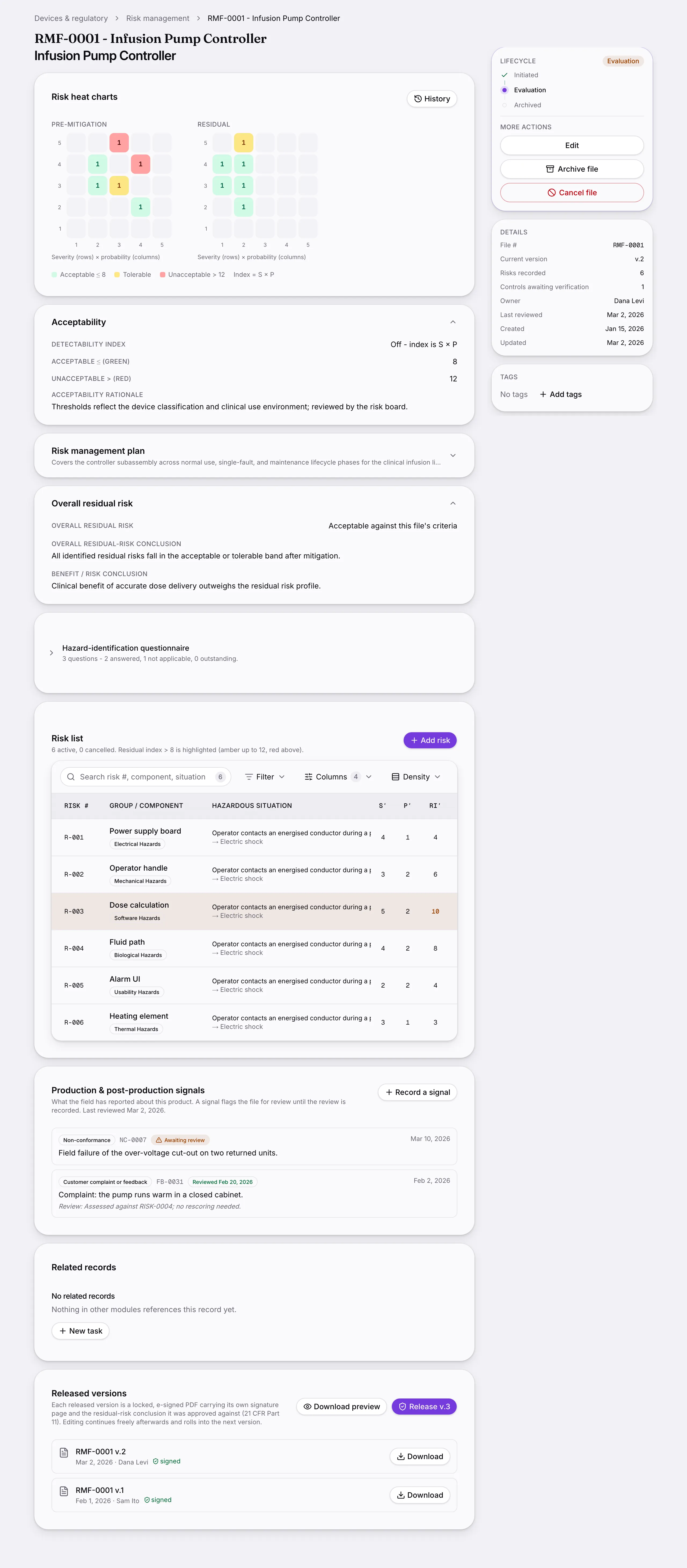
    Another screen from Risk management.
    Another screen from Risk management.
  4. Regulatory files

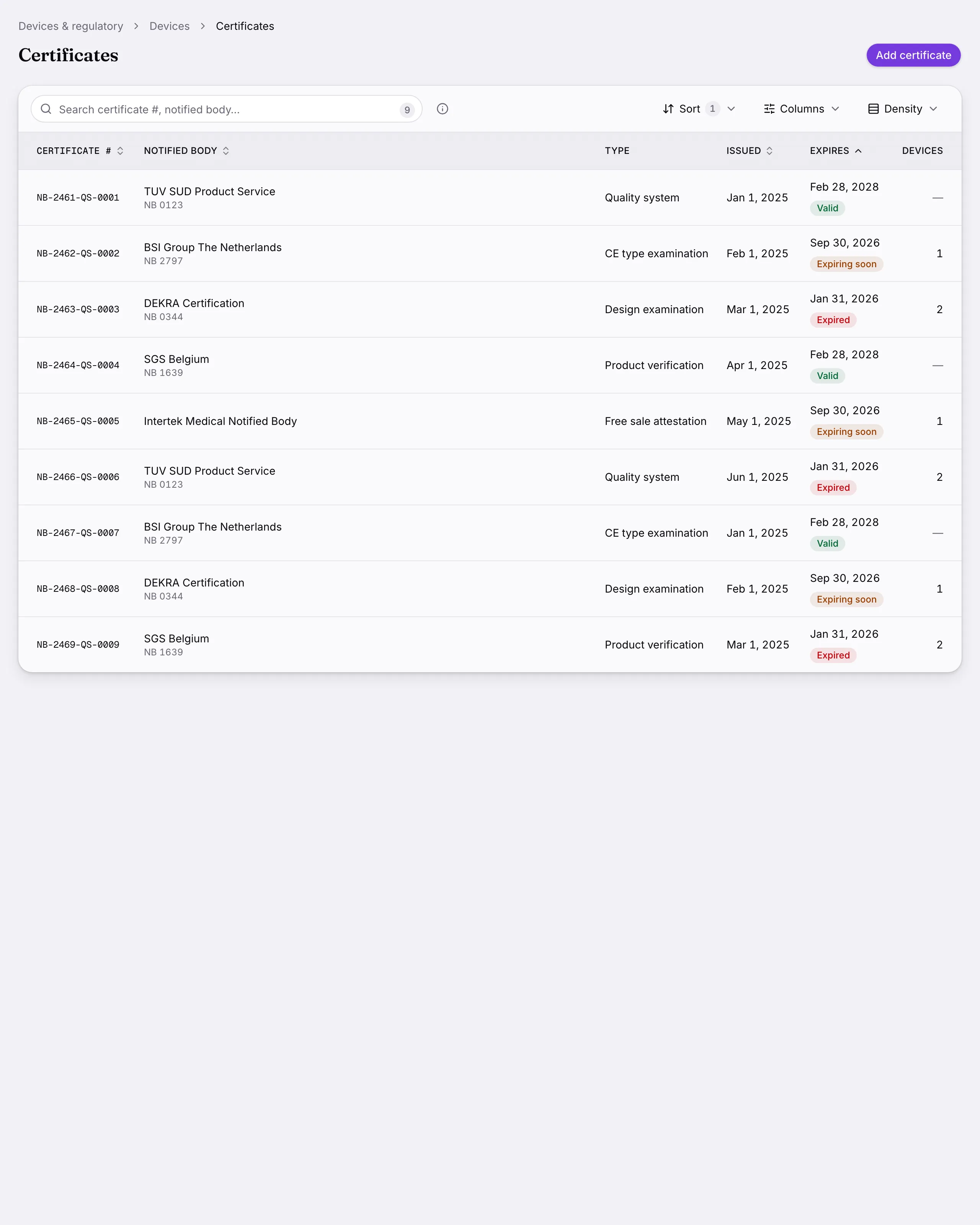
    Submissions and certificates a device carries, shareable by token link rather than an email attachment.
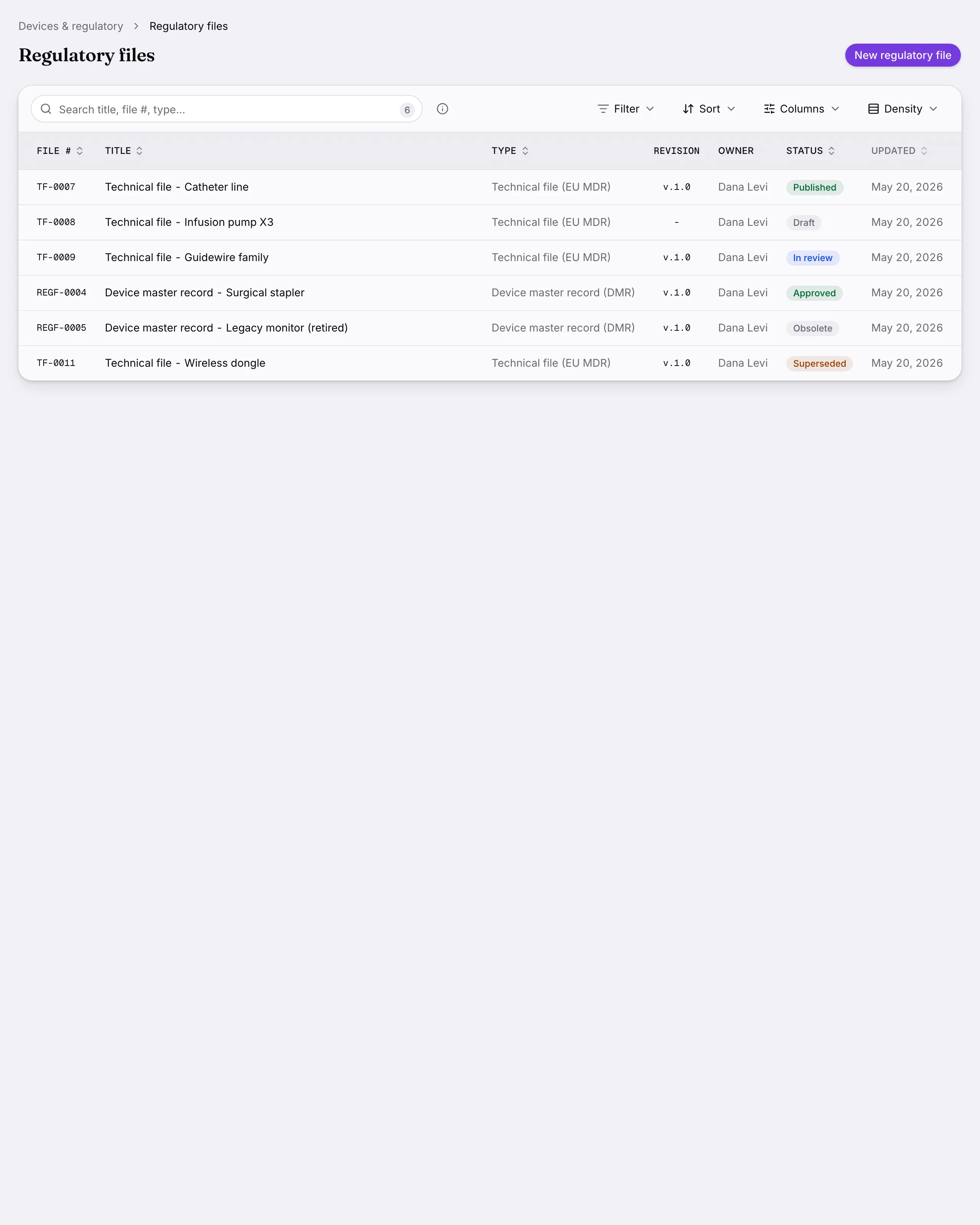
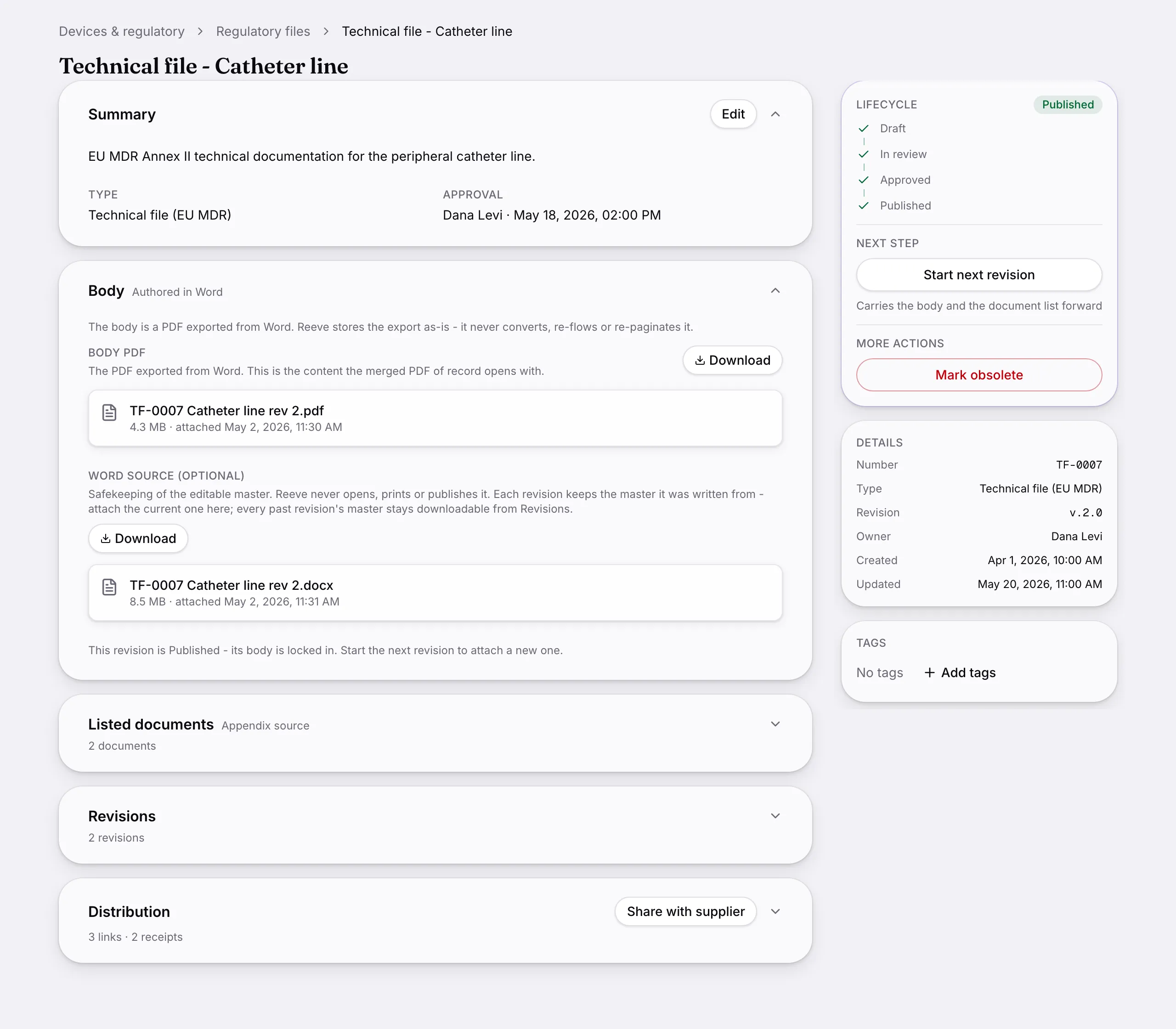
    Regulatory files: Submissions and certificates a device carries, shareable by token link rather than an email attachment.
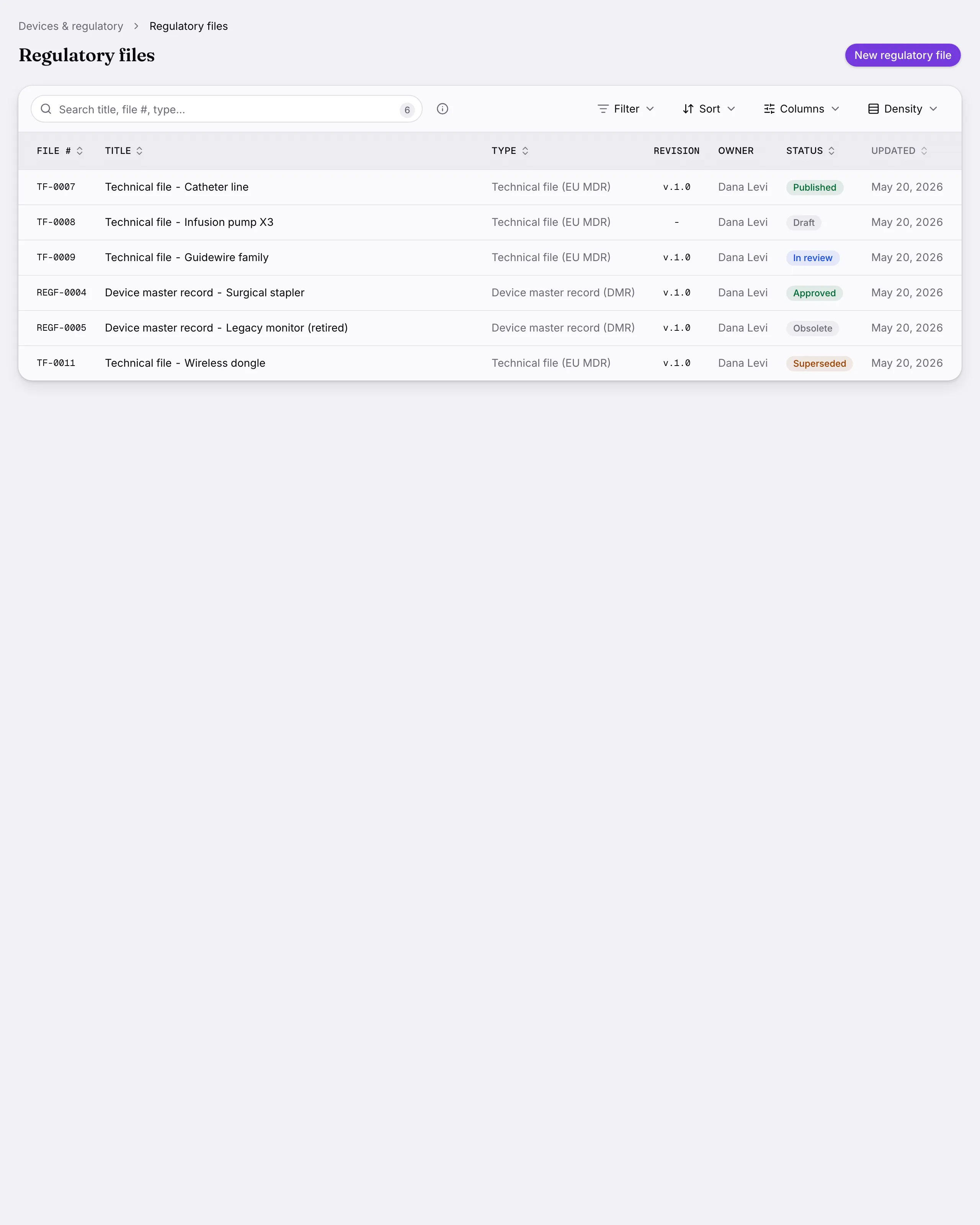
    Another screen from Regulatory files.
    Another screen from Regulatory files.
  5. Device labels

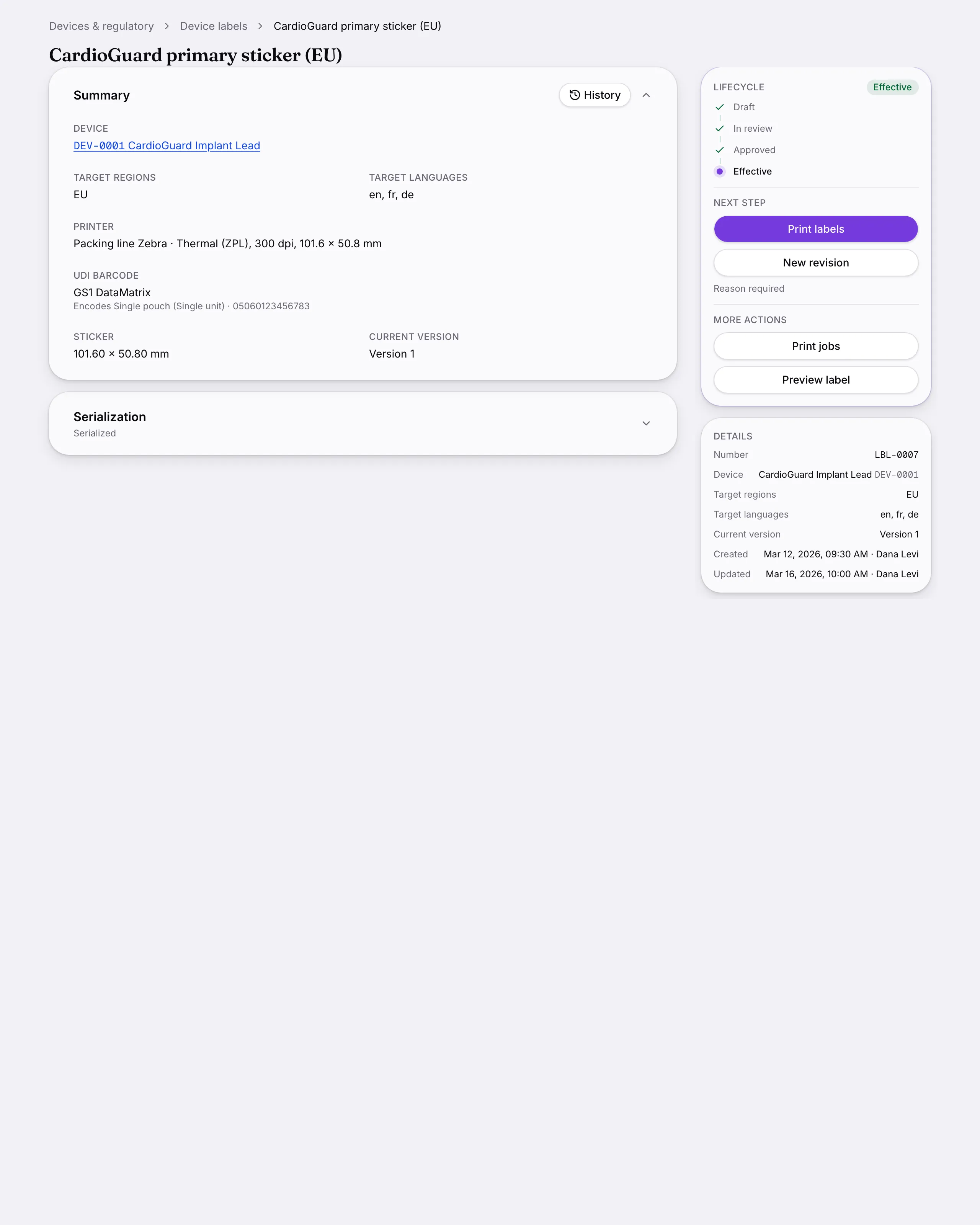
    A label designer laying out ISO 15223 symbols and device data for the printer you picked, with approval, revisions and a print history.

    Design with AI drafts the sticker for the chosen printer, and says what it used and what it left off.
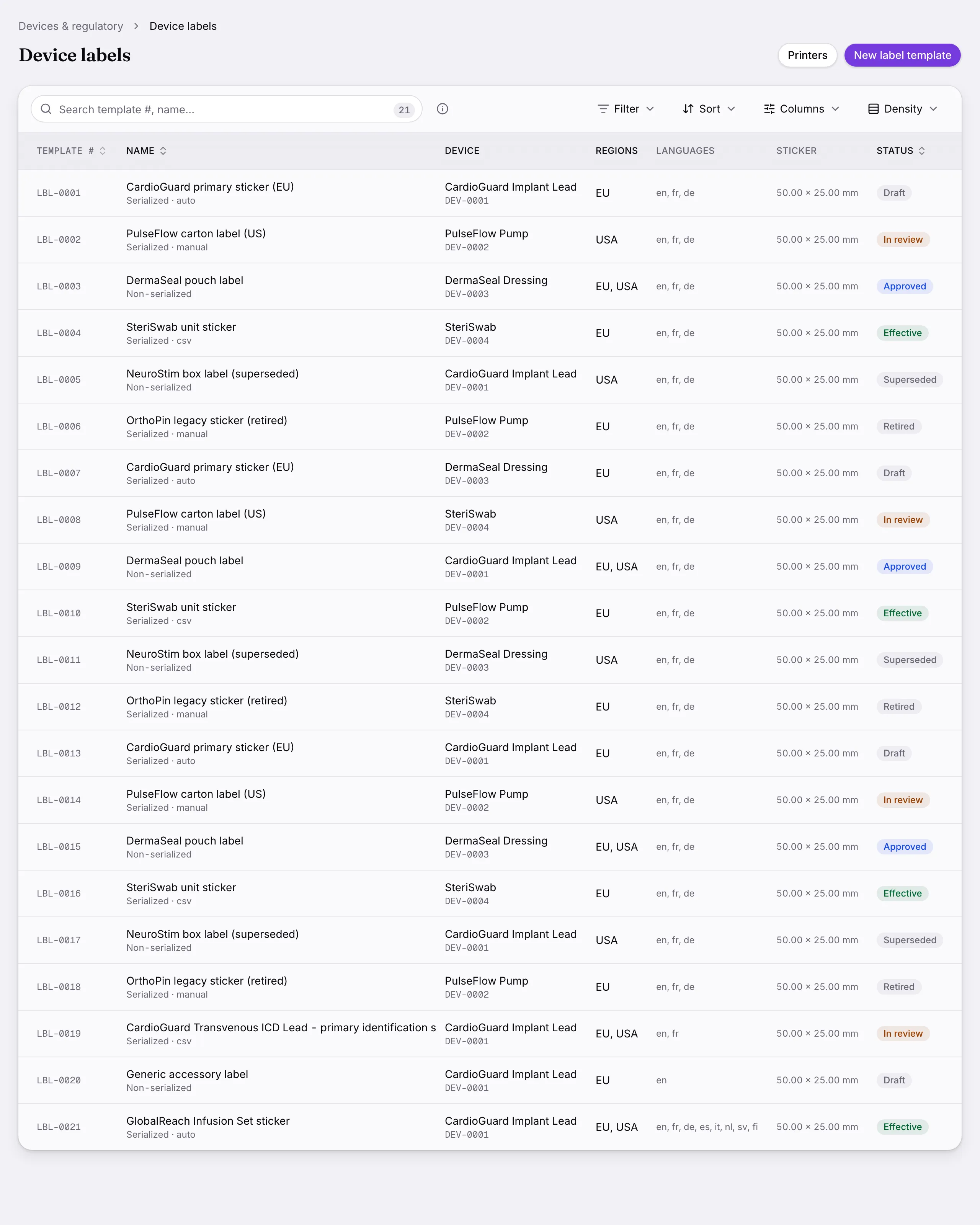
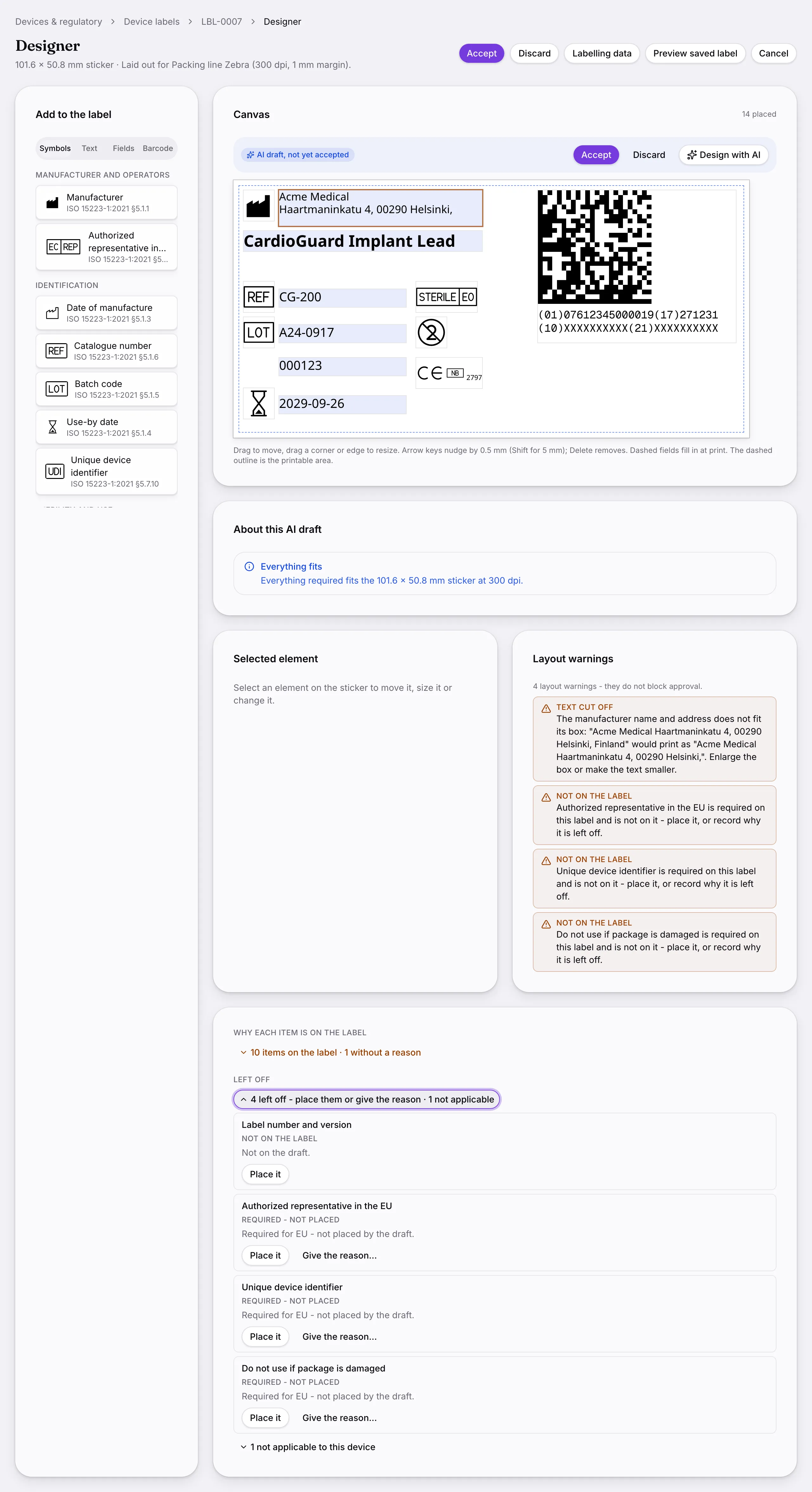
    Device labels: A label designer laying out ISO 15223 symbols and device data for the printer you picked, with approval, revisions and a print history.
    Another screen from Device labels.
    Another screen from Device labels.
  6. Standards library

    The standards you certify to, with clauses linked to the documents and audits that satisfy them.
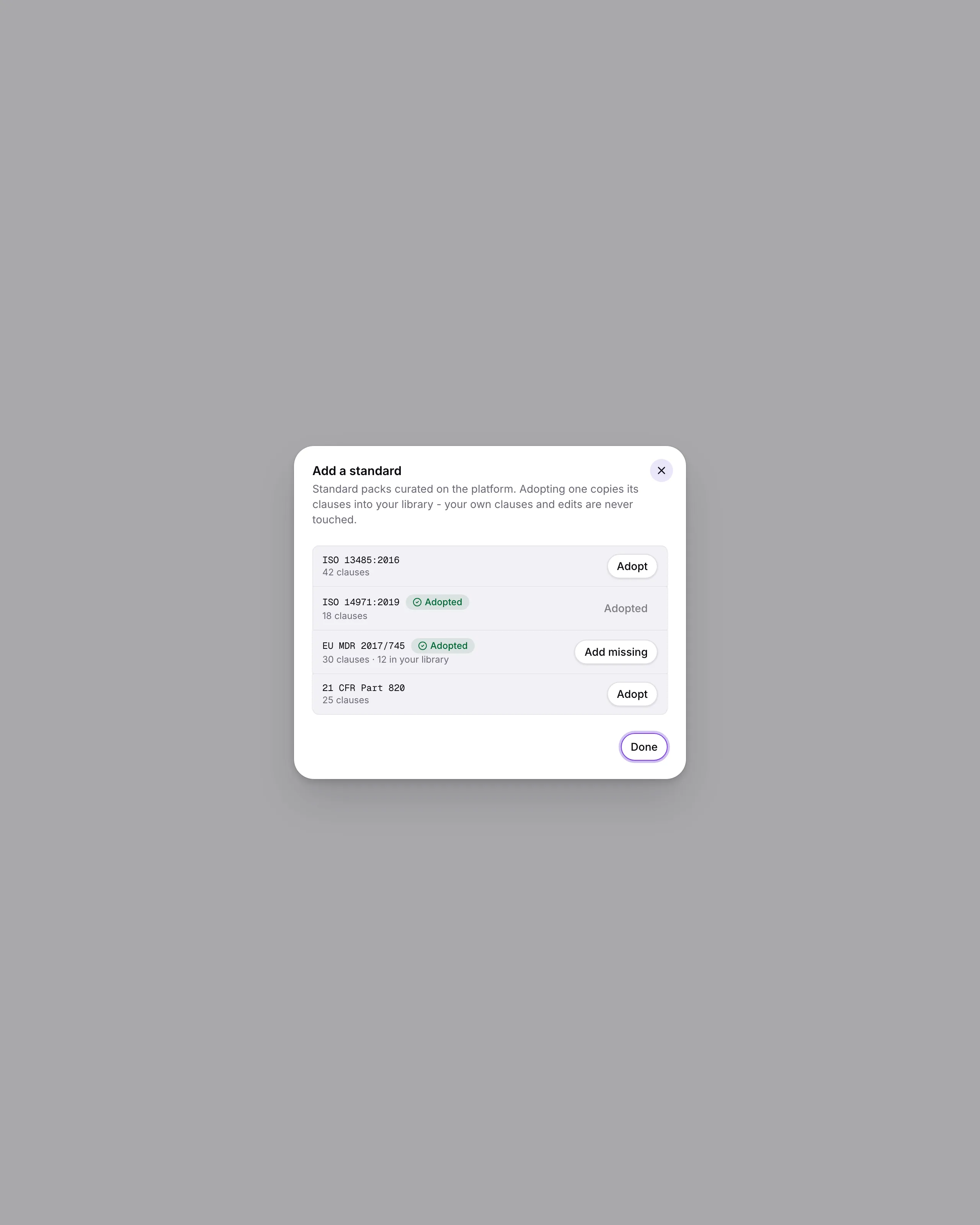
    Standards library: The standards you certify to, with clauses linked to the documents and audits that satisfy them.
  7. Change notifications

    Telling customers and authorities about a change, with a ledger of who was told and when.
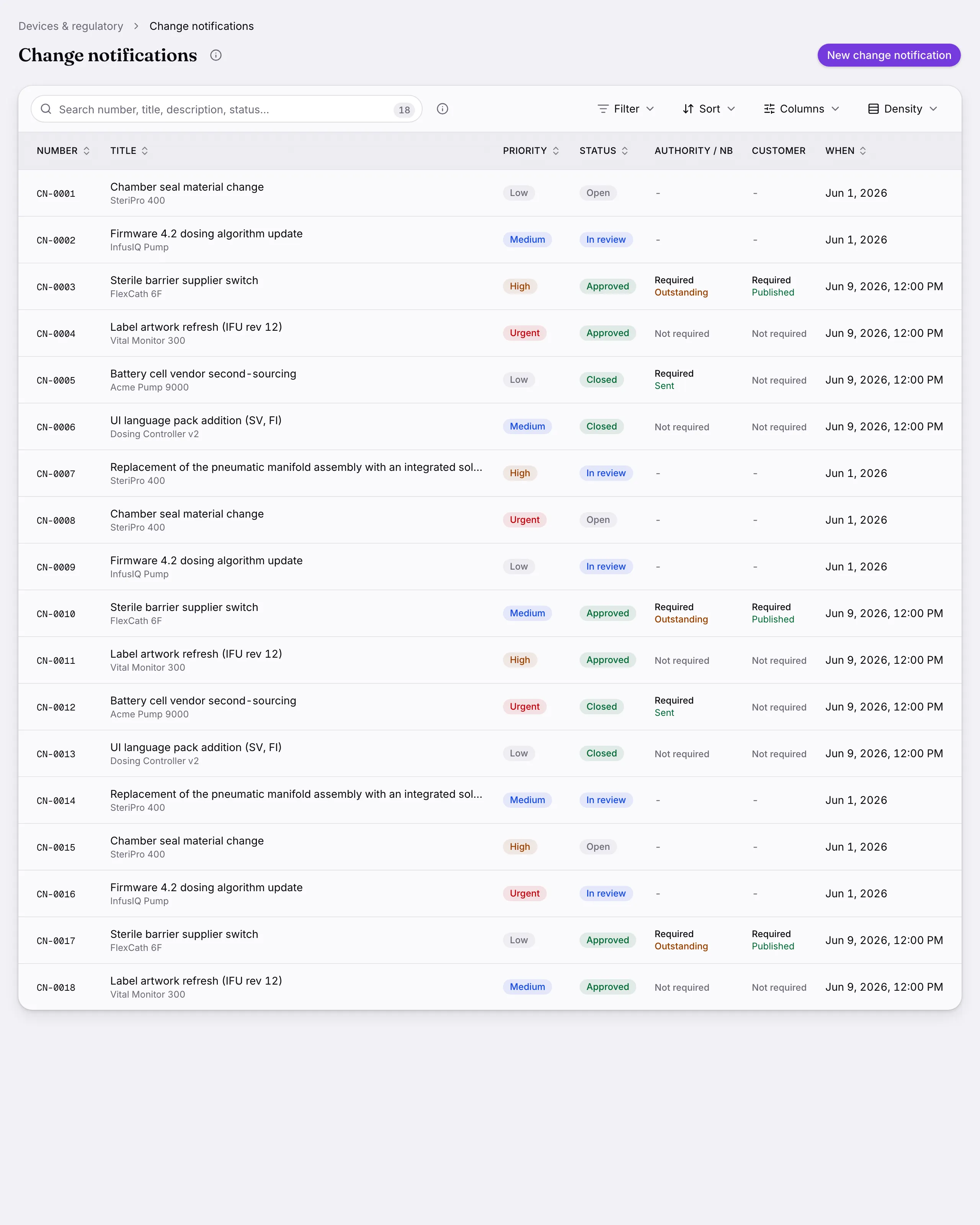
    Change notifications: Telling customers and authorities about a change, with a ledger of who was told and when.
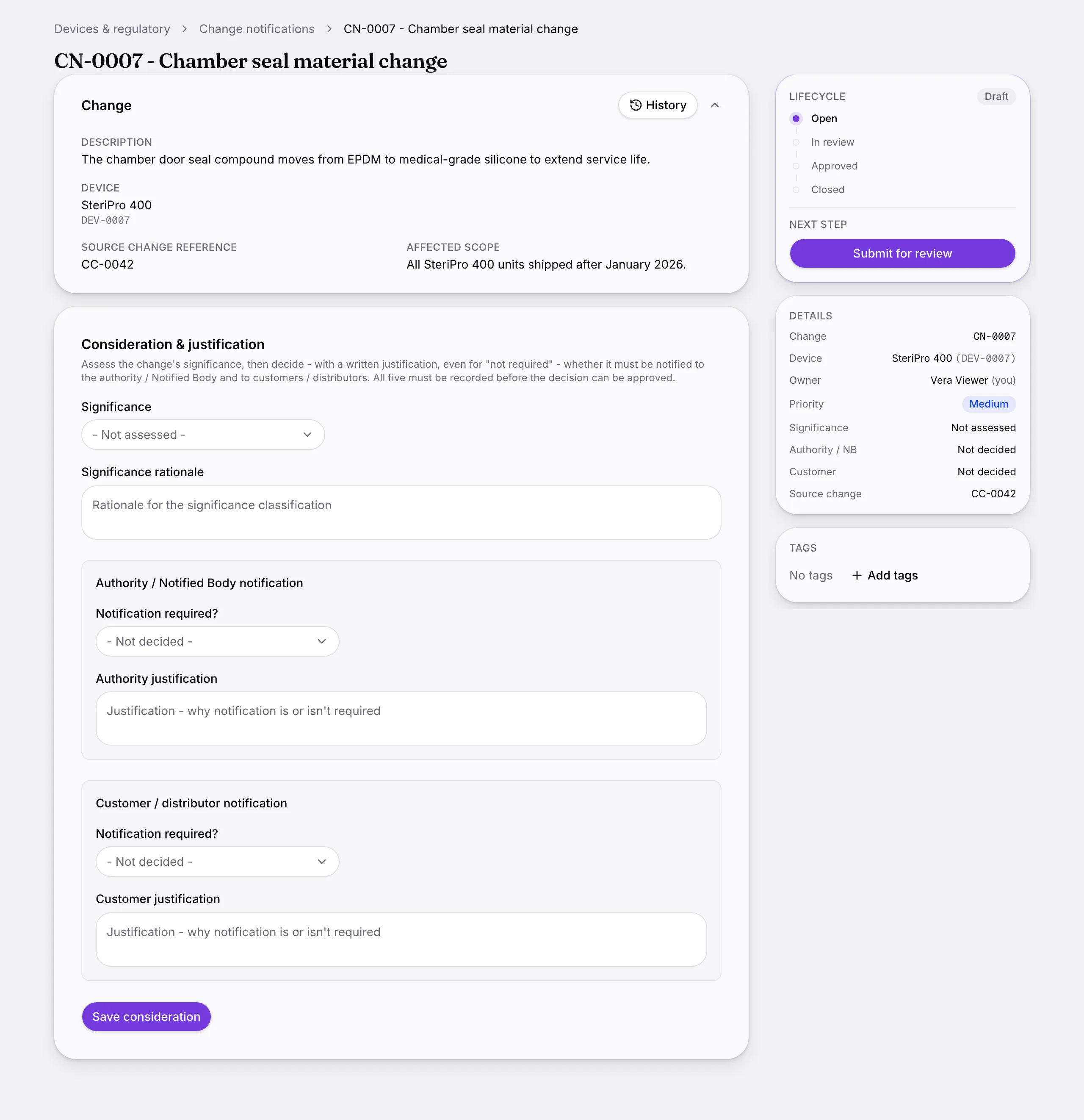
    Another screen from Change notifications.
  8. Vigilance

    Vigilance reporting for EU MDR and 21 CFR 803, with the report built from the record rather than beside it.
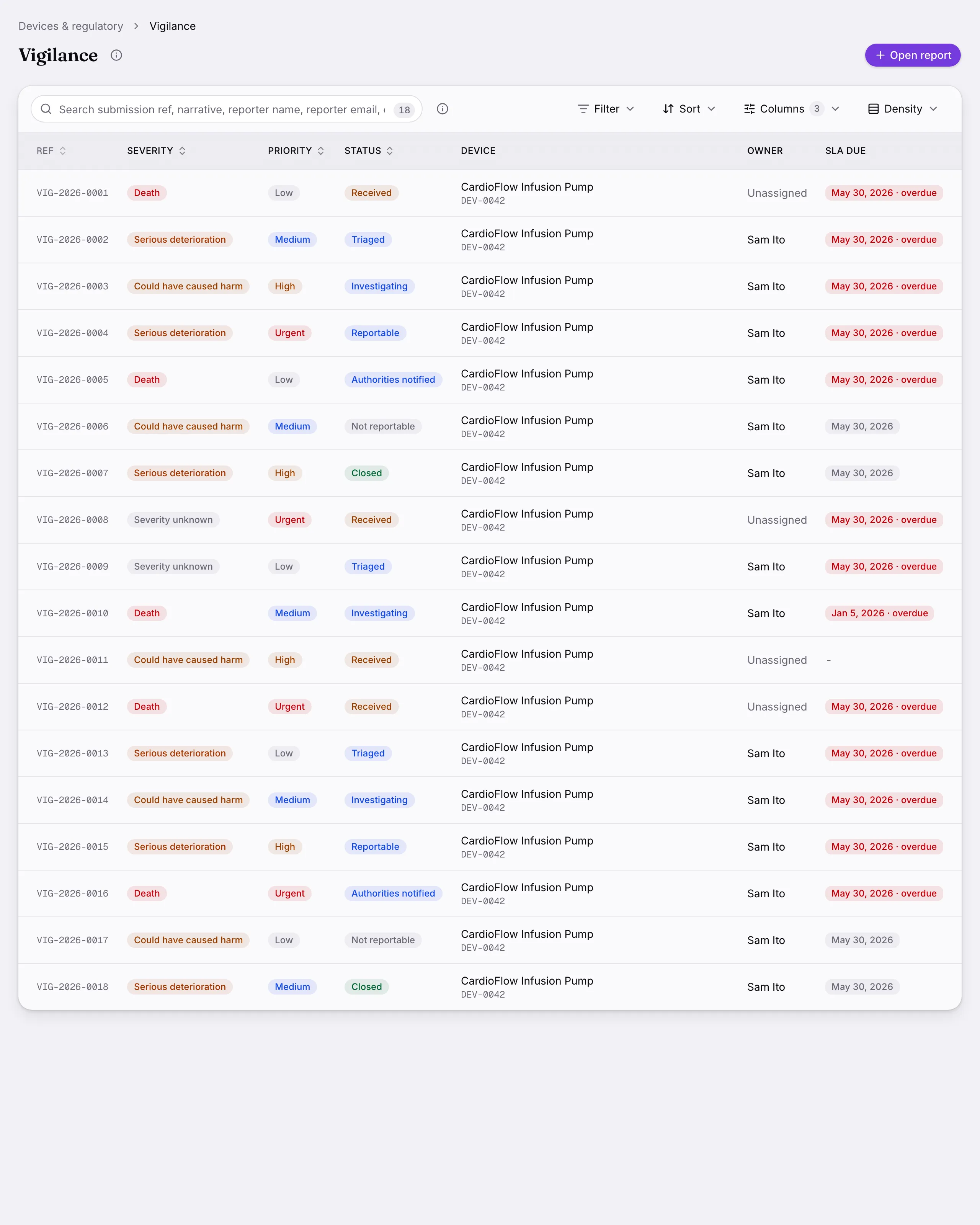
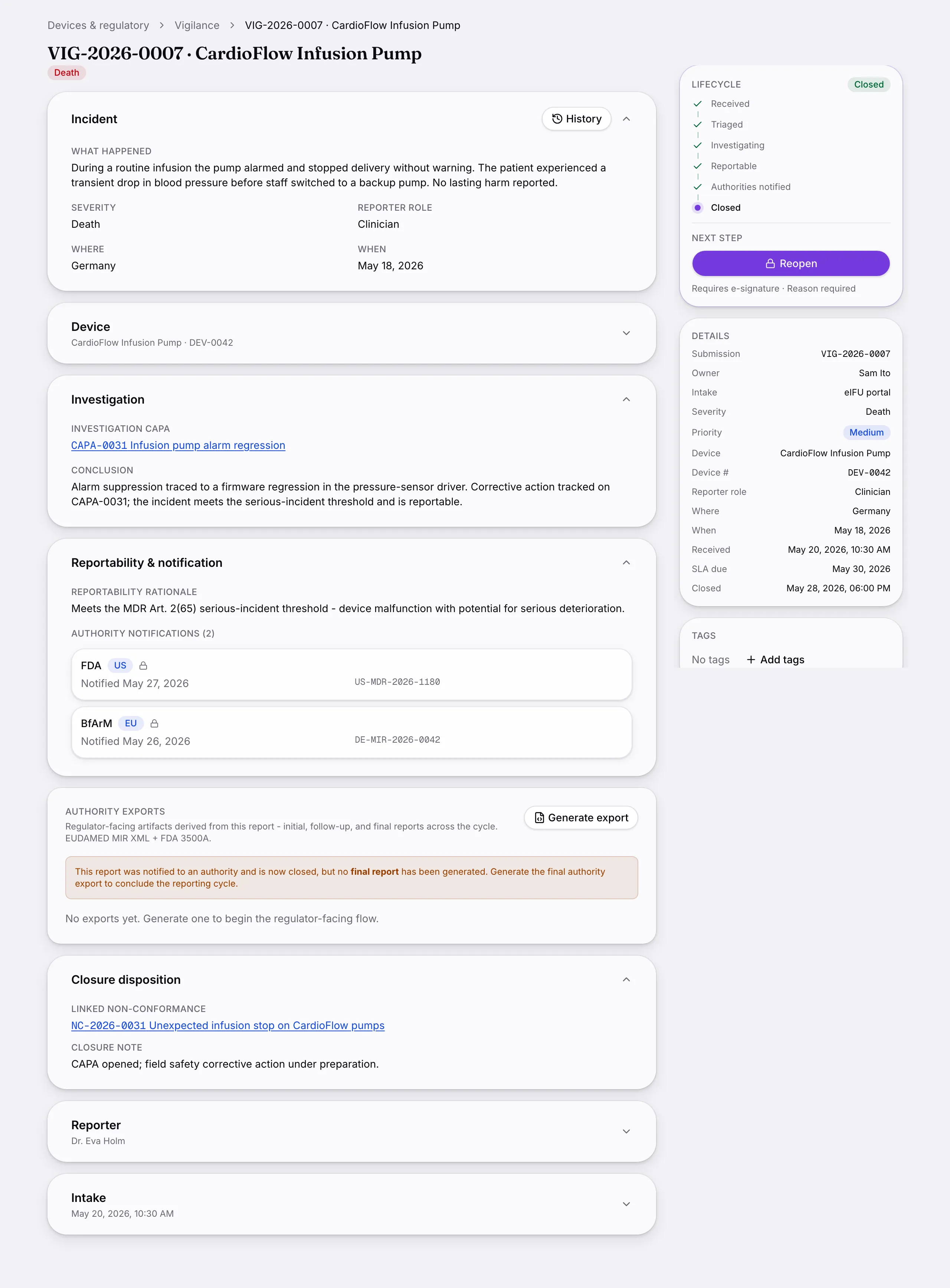
    Vigilance: Vigilance reporting for EU MDR and 21 CFR 803, with the report built from the record rather than beside it.
    Another screen from Vigilance.
  9. Field safety notices

    Field safety notices authored, signed and broadcast, with delivery confirmed per recipient.
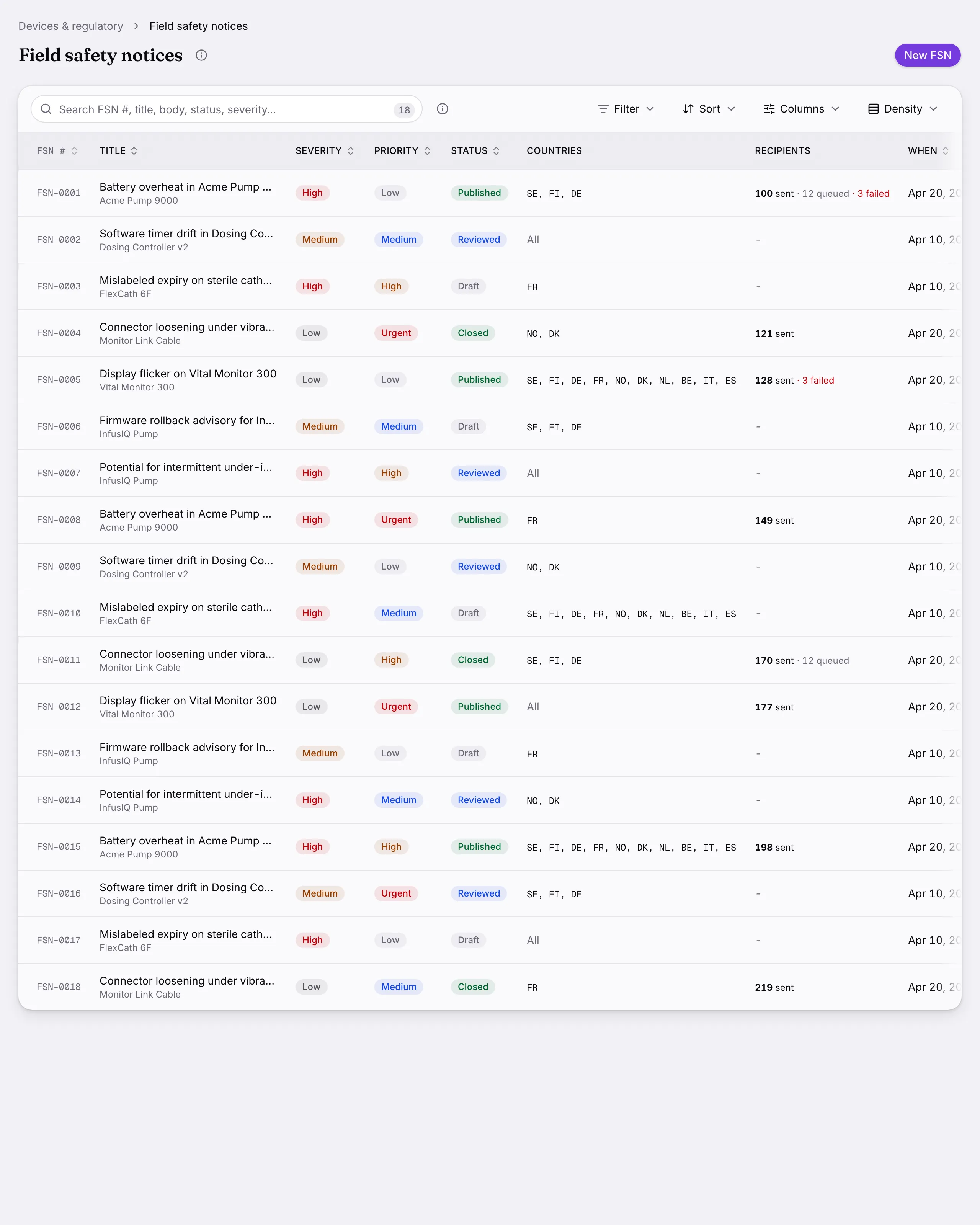
    Field safety notices: Field safety notices authored, signed and broadcast, with delivery confirmed per recipient.
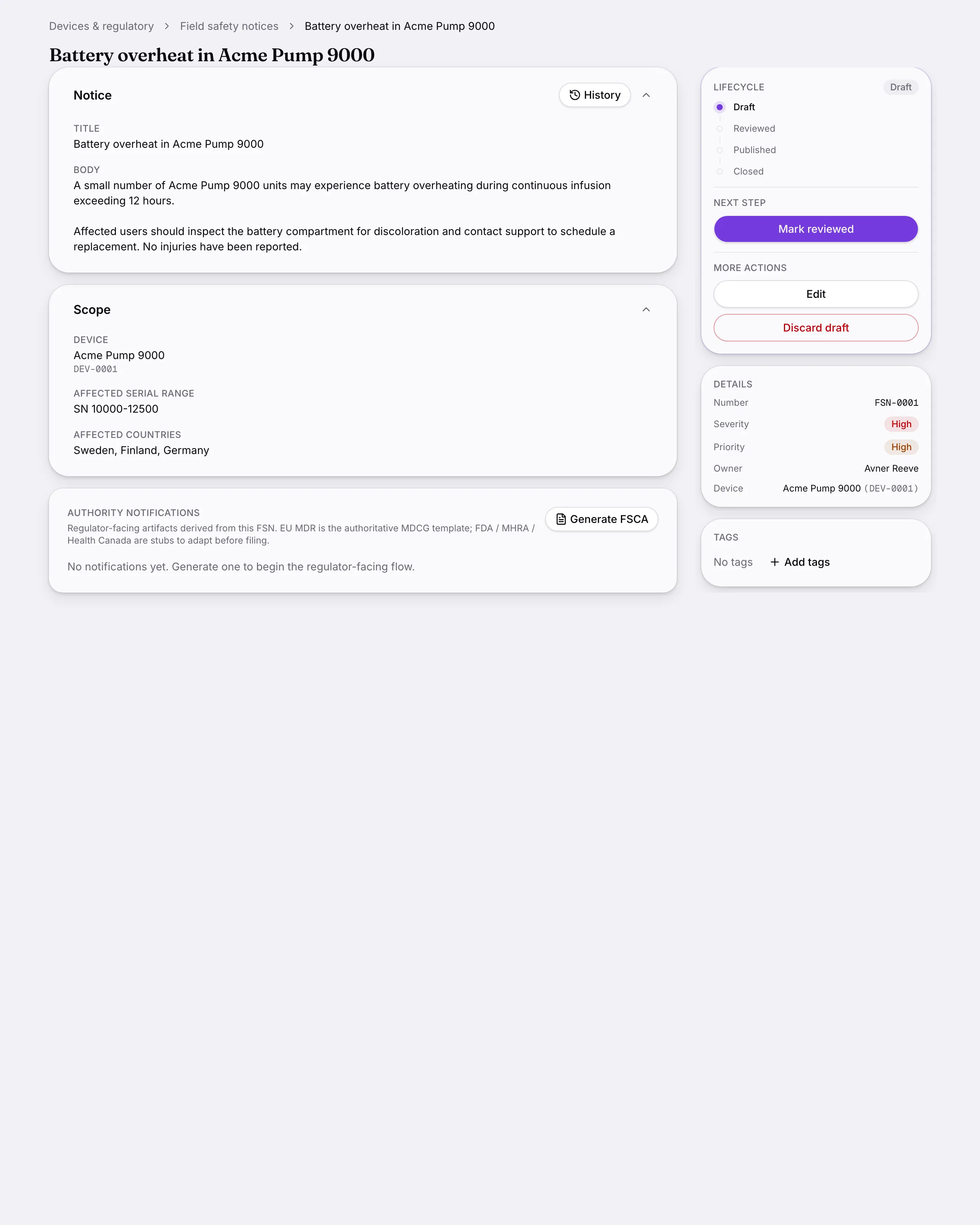
    Another screen from Field safety notices.